 Open beta for ETM members
Compliance and operator management software for transport managers
Bring operators, vehicles, drivers, tasks, defects and evidence into one working desk built for UK transport managers.
The Repute Score is a workload and evidence indicator, not a DVSA rating.
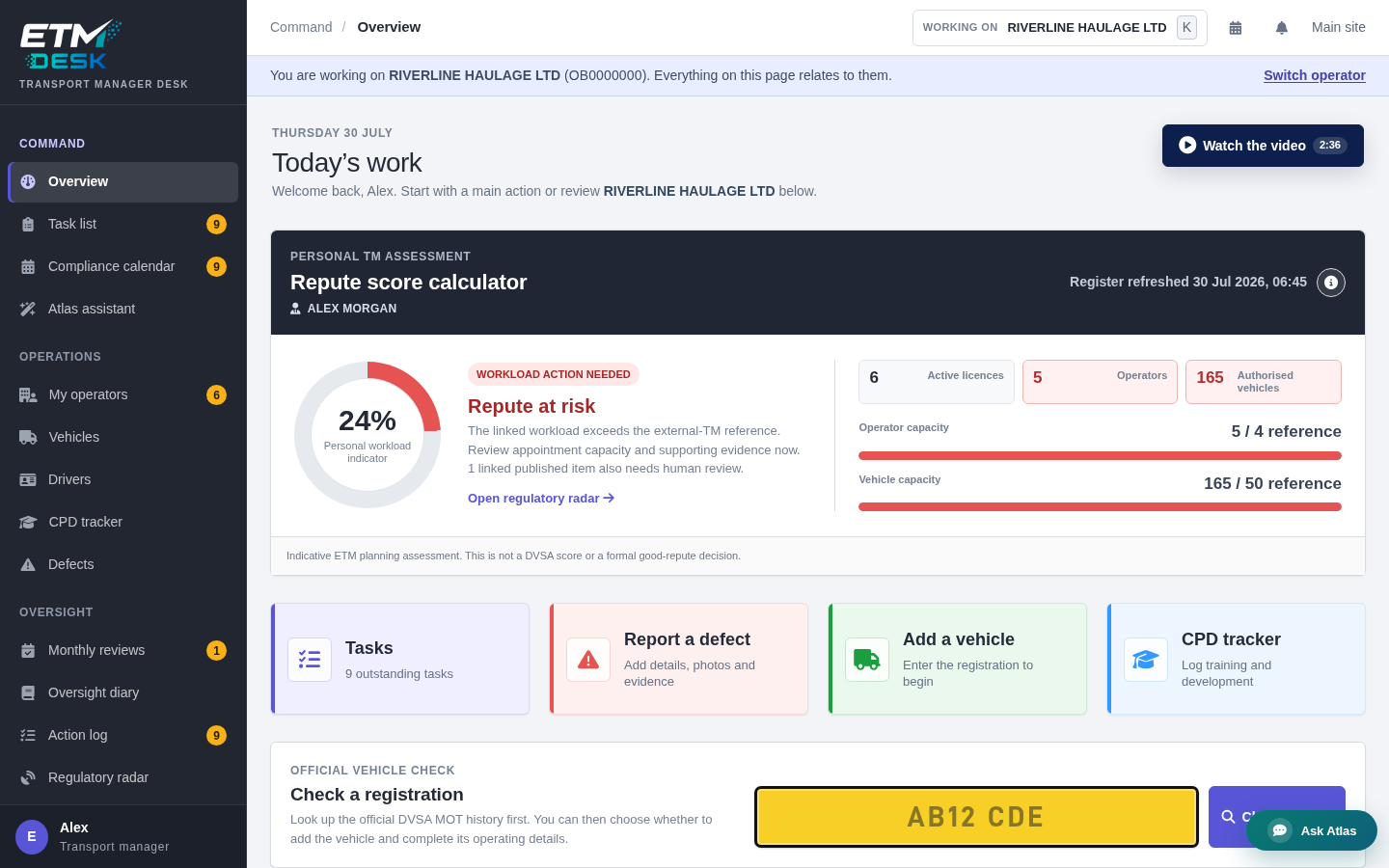
Your operators and priorities in one view. Demonstration data shown.
Start each day knowing what needs attention
ETM Desk turns dates and records into a practical daily view. Move from the whole portfolio to one operator without losing sight of overdue work elsewhere.
Tasks that stay connected
Prioritise work, assign a due date and keep the action history attached to the record.
One compliance calendar
See vehicle, driver, document and operator dates together, with calendar subscription options.
Defects through to rectification
Record the report, attach evidence, follow its status and retain a dated history.
Evidence ready to report
Keep reviews, diary entries and documents structured for meetings, reports and audit packs.
Turn every issue into visible, accountable work
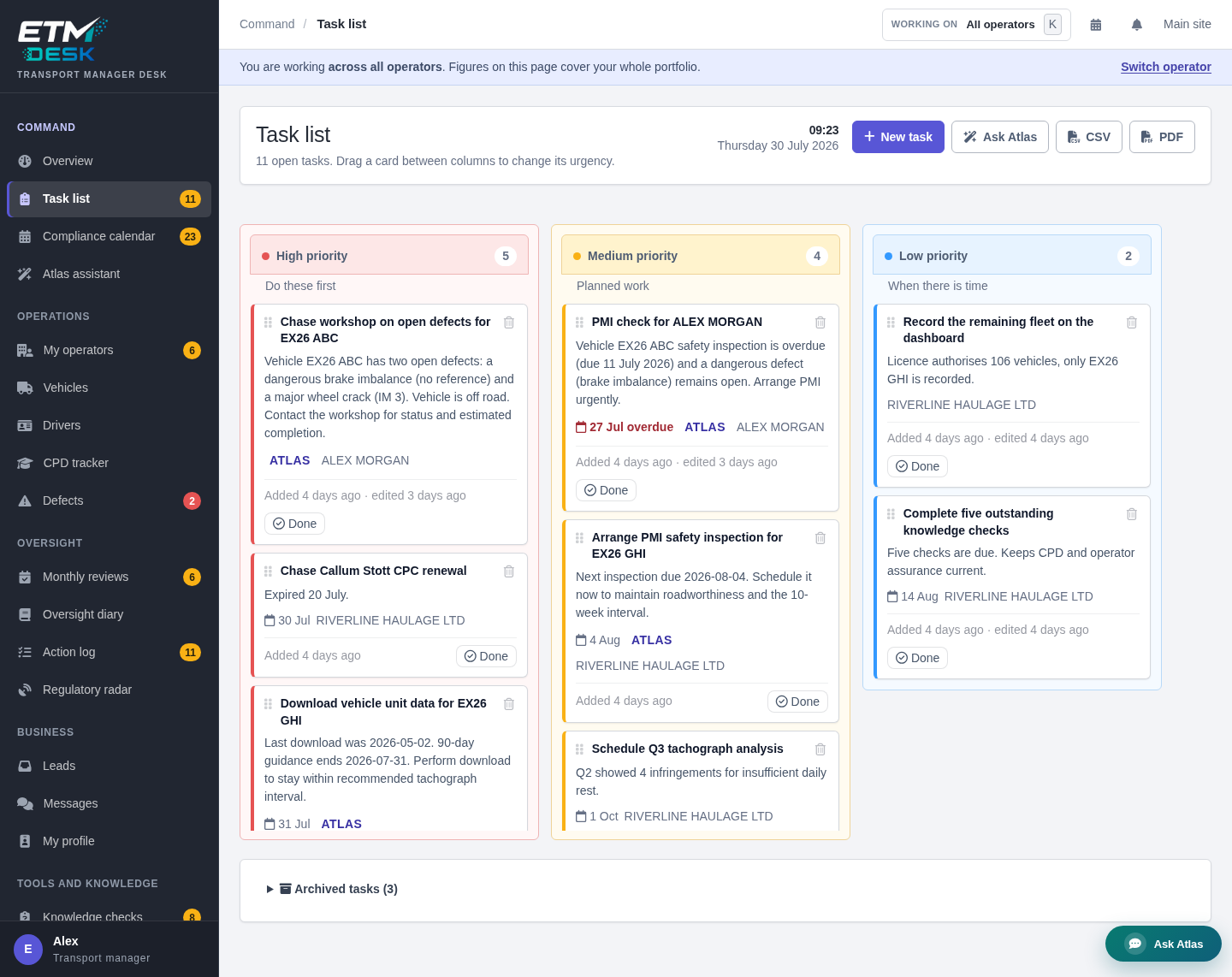
The task board groups work by priority and keeps the underlying record close. A follow-up from a monthly review, a reminder or an Atlas proposal can become a task without being lost in email or a separate app.
- High, medium and low priority views make the next action clear.
- Due dates feed the same compliance calendar used across the Desk.
- Changes remain attached to the action history instead of disappearing when a card moves.
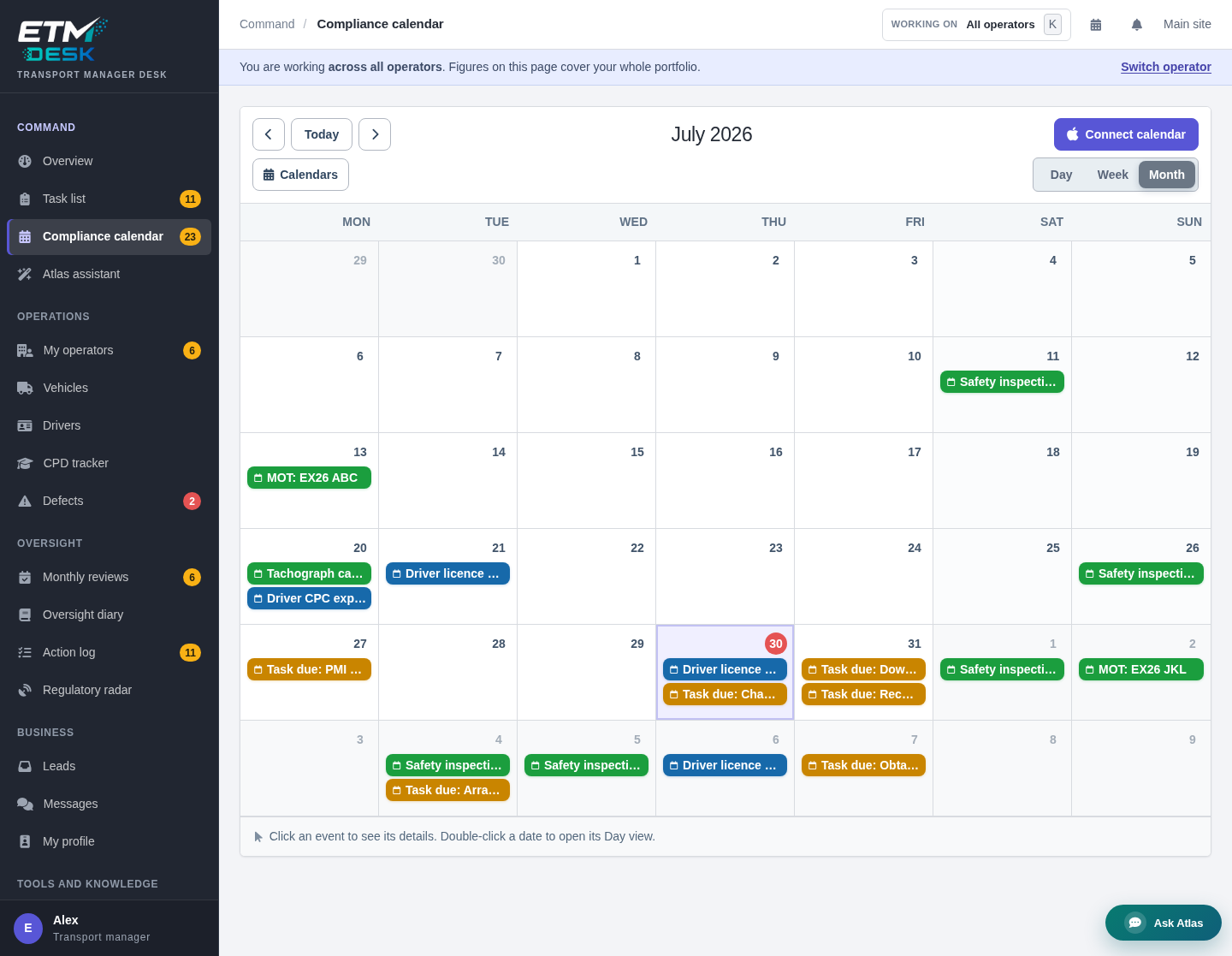
Dates become a working calendar, not another spreadsheet
Vehicle inspections, driver checks, training, documents and your own tasks share one timeline. Open a date to see the record behind it, or subscribe from Apple Calendar, Google Calendar or another calendar application.
- Day, week and month views for planning at different levels.
- Operator context travels with each item so multi-operator work stays clear.
- Calendar subscription links are not publicly listed and can be reset from the Desk.
Move from records to the next action faster
Atlas works inside the operator context you choose. It can summarise what needs attention, help draft a message or document, and suggest tasks from the records already held in the Desk.
You remain responsible for every decision. Atlas does not silently change records or send work on your behalf, and its drafts should be checked before use.
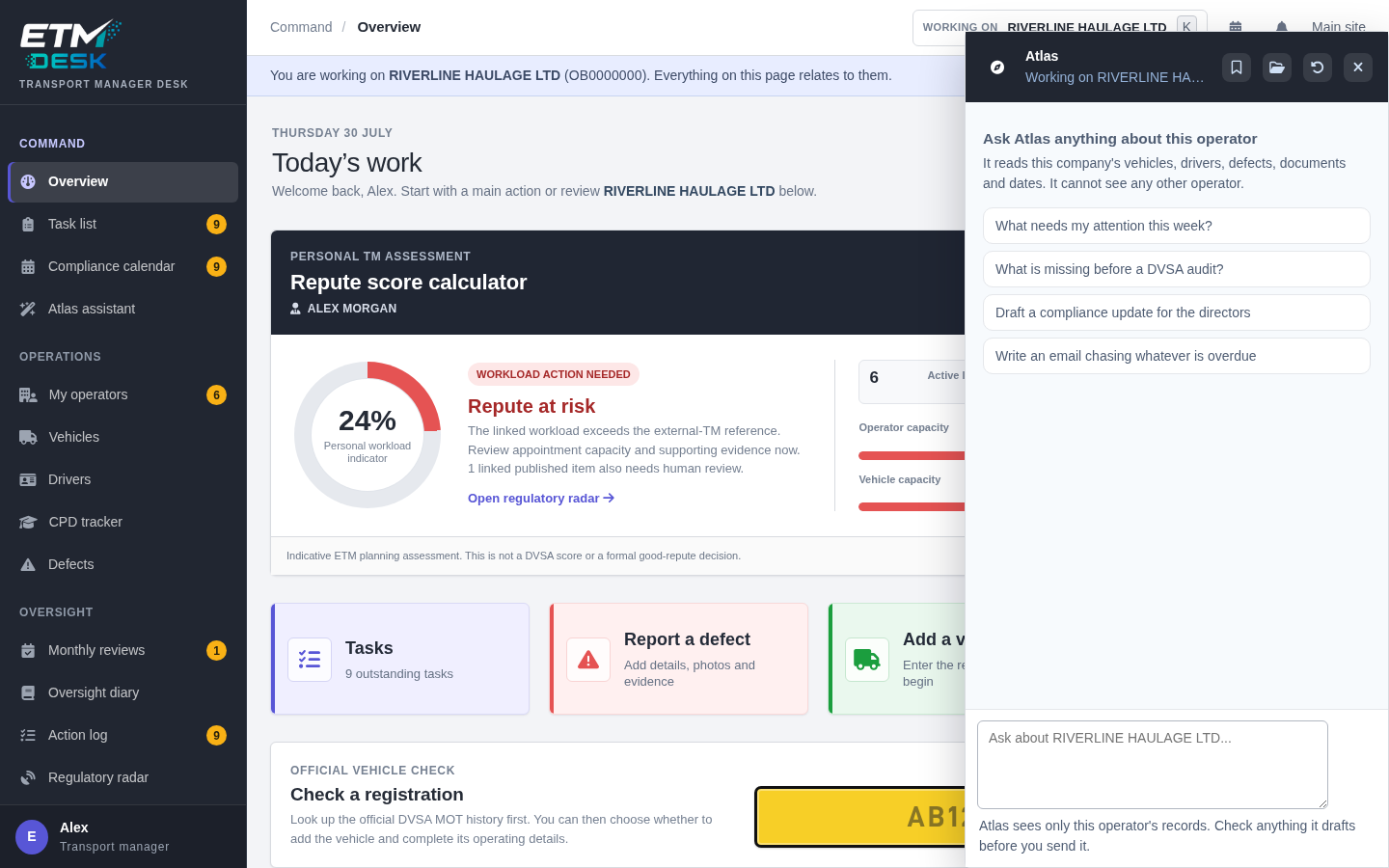
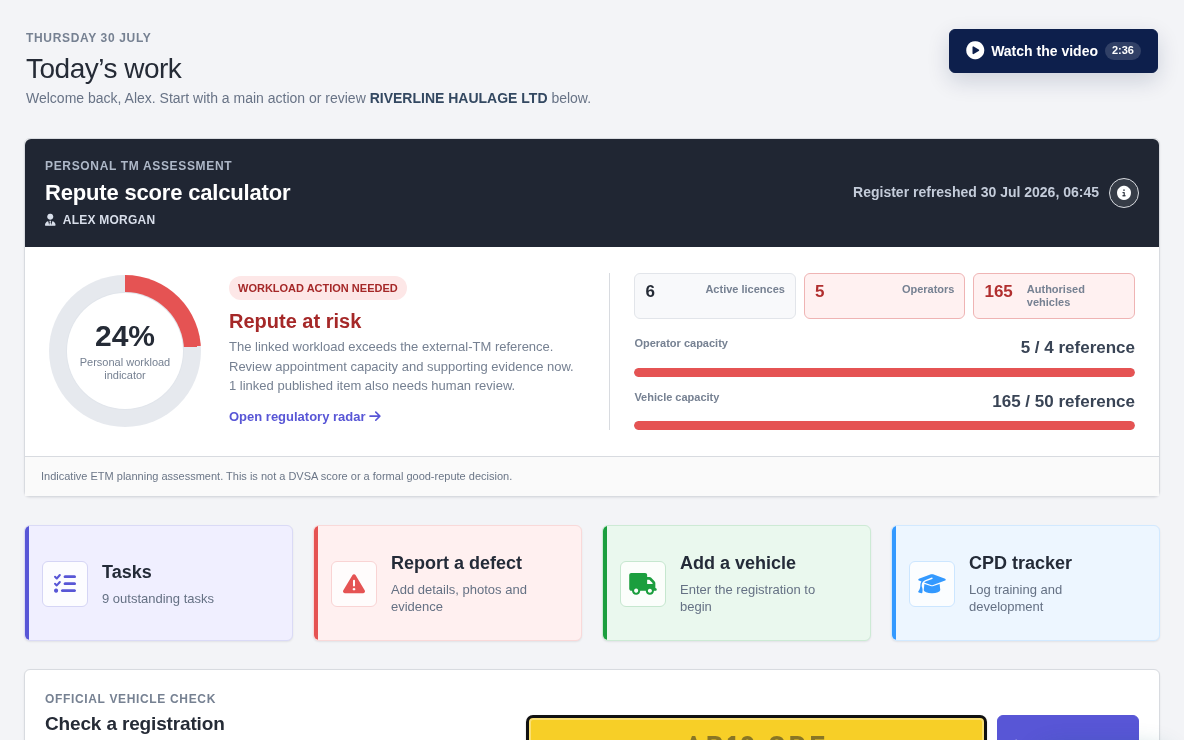
Understand workload and evidence coverage at a glance
The custom-built ETM Repute Score brings together the information the Desk can evidence: appointments, authorised fleet size, portfolio workload, published regulatory links and the freshness of records held for the operators you manage.
It explains the inputs and shows when information has not been assessed. The score is an ETM planning indicator. It is not a DVSA score, an OCRS score or a determination of professional good repute.
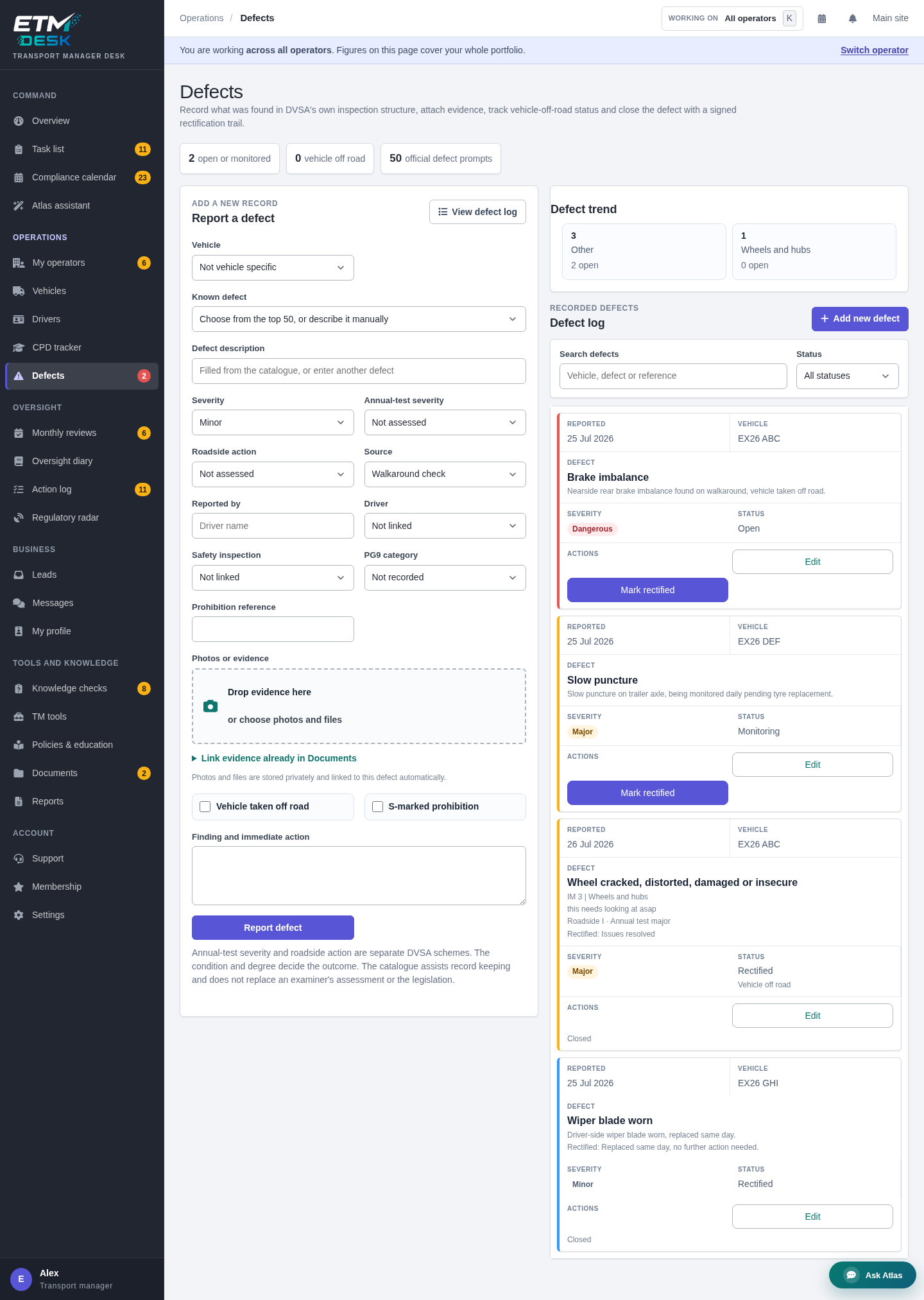
Follow a defect from first report to rectification evidence
A defect is not finished when it is typed into a form. ETM Desk keeps the report, severity, vehicle, photographs, action and rectification status in one dated workflow.
- Attach images and supporting files to the record.
- Track open, monitored and rectified states with an event history.
- Link the work back to the vehicle and operator rather than keeping an isolated report.
Watch ETM Desk in use
The walkthrough follows the real flow from your daily overview into operator records, tasks, evidence and the tools available from the Desk.
Use it to see the product before you choose a plan. The screens use demonstration data and the controls shown are part of the working application.
A complete working desk for transport compliance
The modules share operator context, dates and evidence. That is what turns separate tools into one transport manager workflow.
Vehicles and PMI planning
Record fleets, inspection intervals, MOT dates and next-PMI dates, with vehicle lookup where available.
Drivers and checks
Track licence checks, CPC and relevant review dates against the correct operator.
Monthly reviews
Work through a structured operator review and carry follow-up actions into the task list.
Oversight diary
Keep a time-stamped SHA-256 hash chain, so changes to earlier entries can be detected.
Documents and policies
Store evidence by operator and build controlled documents from Desk templates.
Reports and audit packs
Turn current Desk records into structured reports and downloadable PDF packs.
Regulatory radar
Bring published Traffic Commissioner decision links relevant to your operators into view.
Leads, messages and profile
Keep the ETM marketplace route beside the software used to deliver the work.
Transport manager software is not the same as a general TMS
Transport management systems often centre on route planning, jobs, loads and delivery operations. ETM Desk centres on the transport manager's compliance workload, the records behind it and evidence of continuous and effective management.
General fleet or TMS software
- Often built around one operator, fleet or traffic office
- May focus on routing, telematics, jobs or vehicle cost
- Frequently priced per vehicle or user
ETM Desk
- Built for a transport manager working across one or several operators
- Centres on due work, defects, oversight and compliance evidence
- Priced per transport manager, with plan limits shown clearly
Start free, then add capacity when you need it
Desk Free gives every ETM member a practical starting point. Verified+ and Premium+ increase operator, vehicle, storage and Atlas limits without changing your existing ETM membership.
ETM Desk questions
Who is ETM Desk for?
Does ETM Desk replace my ETM profile and leads dashboard?
Is ETM Desk fleet management software?
What can Atlas do?
What is the ETM Repute Score?
Can I try it without paying?
From finding the work to managing it properly
Use the ETM platform to build your profile, receive opportunities and talk to operators. Use ETM Desk to organise the appointment, act on the compliance work and retain the evidence.